BoxFind
Know what is in every box without opening it. Put a QR label on the box, list what is inside by typing, voice or photo, then scan the label or search to find anything in seconds.
Find anything in your boxes in five seconds.
BoxFind does one job well: it remembers what is in every box, so you don't have to open them all.
QR Labels You Can Print
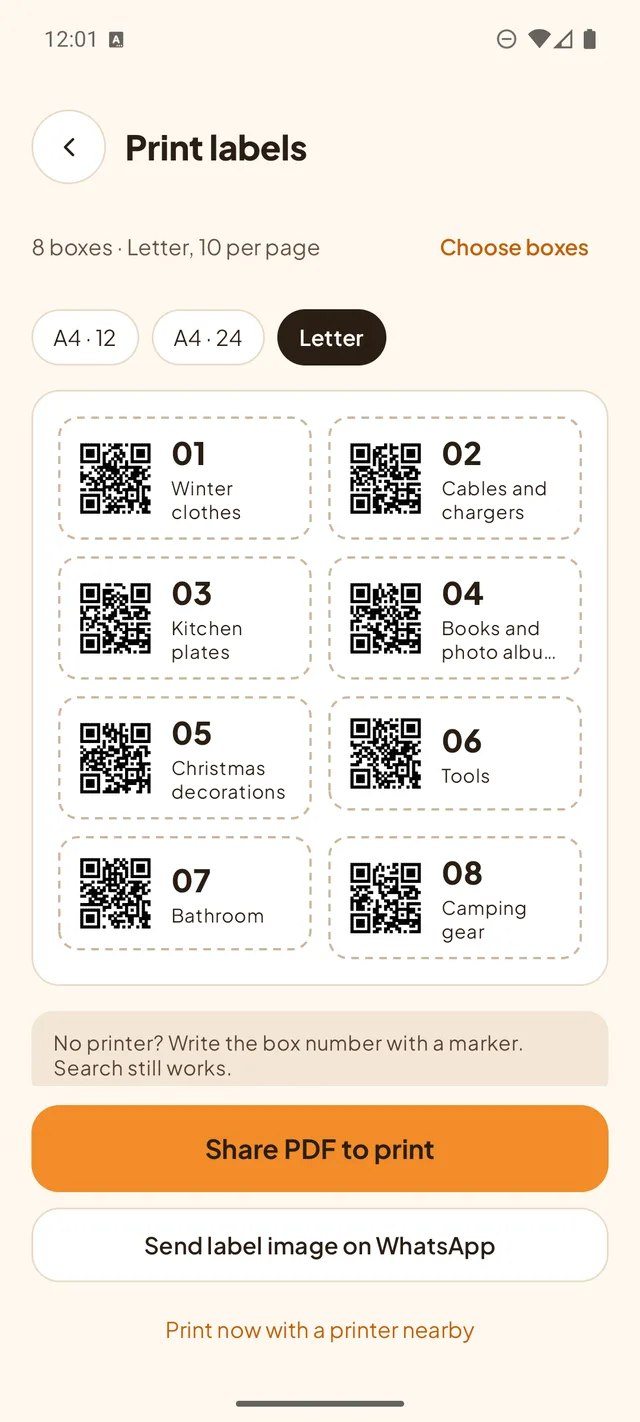
Every box gets its own QR label. Print a sheet in A4 (12 or 24 labels) or US Letter, or send the label image on WhatsApp. No printer? Write the box number with a marker.
Scan to See Inside
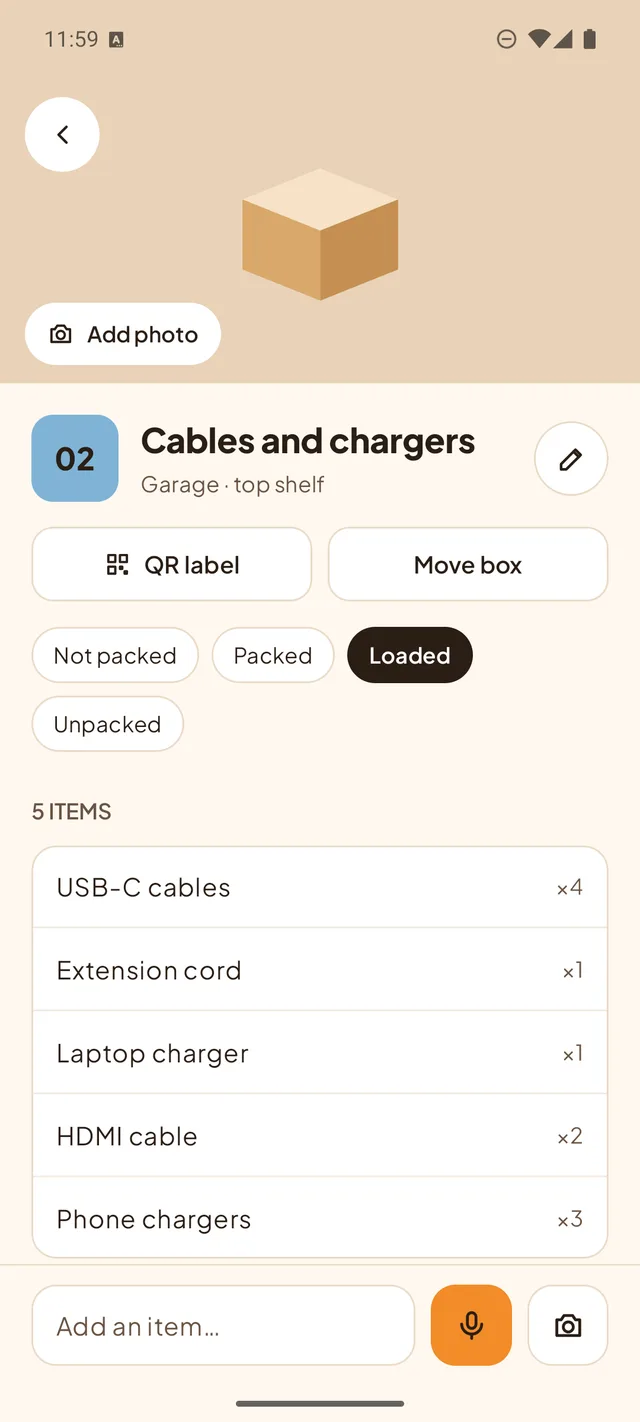
Point the camera at a label and the box opens with its full item list. The QR holds only a random code, never your item names.
Search Every Item
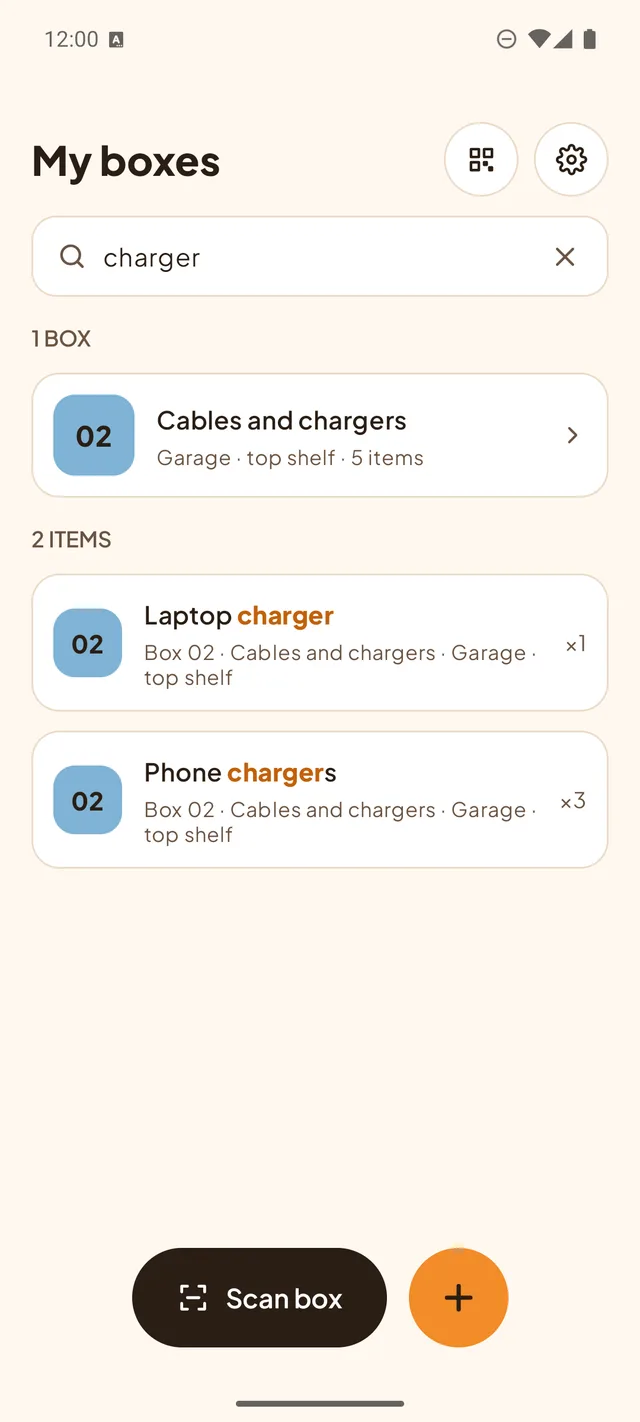
Type "charger" and see which box it is in, which room the box is in, and the exact item. Filter boxes by room.
Fast Adding by Voice or Photo
Say "four sweaters, two blankets and a lamp" and BoxFind adds three items with quantities. Add a photo of the box or of any item.
Moving Mode
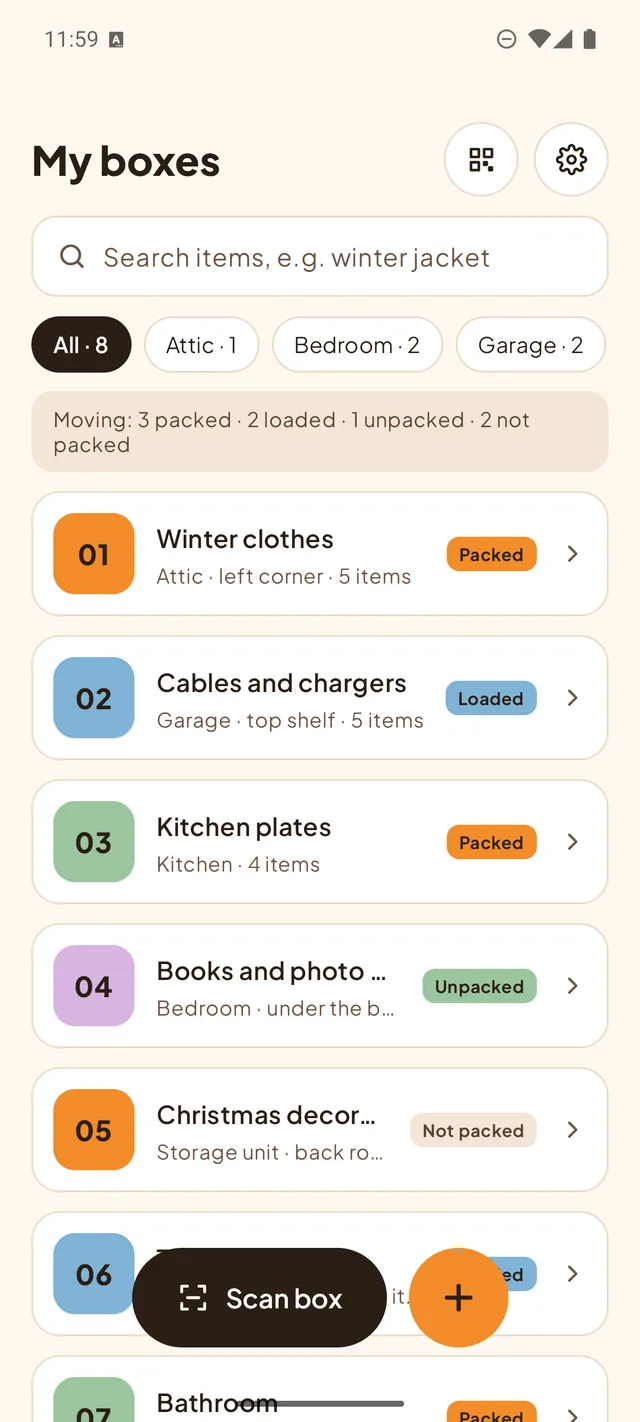
Mark each box as packed, loaded or unpacked and see at a glance how far the move has come. Part of BoxFind Pro.
Free Core, One-Time Pro
Up to 25 boxes, labels, scanning, search, photos and backup files are free, with one small banner ad on the Home screen. A one-time Pro purchase (no subscription) adds unlimited boxes, Moving mode, daily automatic backup and CSV/PDF lists, and removes the ad.
Native Android Application Preview
Screenshots from the current development build of BoxFind.
Verified implementation details.
How BoxFind works on your Android device.
| Architecture Aspect | Implementation Details |
|---|---|
| Platform Compatibility | Android 8.0 (API Level 26) and higher |
| Storage Engine | On-device SQLite database via Android Room with full-text search, Jetpack DataStore preferences, and a private photo folder |
| Account Requirement | None. No registration, password or email |
| Offline Capability | Boxes, items, labels, scanning and search work offline |
| SoftQuill Labs Backend | None. BoxFind does not operate a user database or sync service |
| QR Scanning | CameraX with Google ML Kit barcode scanning, model bundled in the app; camera images are not saved |
| Crash Reporting | Firebase Crashlytics (crash details only, never your box lists; can be turned off in Settings) |
| Advertising (Free Edition) | One banner on the Home screen via Google Mobile Ads SDK (AdMob). Pro stops ad requests |
| In-App Purchases | One-time Pro unlock processed by Google Play Billing. SoftQuill Labs never sees payment details |
| Data Export & Backup | ZIP backup files (data and photos) via Android's Storage Access Framework; daily automatic backup to a folder you choose and CSV/PDF lists with Pro |
BoxFind is coming to Google Play.
BoxFind is still in development. Email us to join the early-access testers, and read how the app handles your data.